






































































How to Set Up GameVault: The Ultimate Guide to Your Personal Game Library

Setting up the GameVault server is the first step toward building your own digital game library, and you can get it running quickly using tools like Docker for a smooth deployment. For example, you will create a simple .env file that tells the server exactly where to find your game files and how to connect to the internet to fetch covers or descriptions from services like IGDB. Once the container is live, you can open the web interface in your browser, where you will set up your primary admin account to manage permissions and library settings.
Connecting the client application is just as straightforward, as it serves as the window between your computer and the server hosting your files. You can download the client directly from the Microsoft Store or use a quick command like winget install gamevault to get it running on your Windows machine. When you first open the app, you will simply enter your server’s web address—such as https://your-server-url.com—to establish a secure link that lets you browse your entire collection.
After connecting, you need to tell the client where to store or look for your games to complete the integration. You will head into the “Settings” menu, find the “File System” tab, and select “Root Directories” to point the app to the specific folders on your hard drive where your games are kept. Once these paths are set, the client automatically scans your files, organizes them into a clean, searchable list, and allows you to download or play them with just a few clicks.
FAQ
What Is GameVault?
GameVault is a self-hosted gaming platform that lets you run a private server to organize and serve DRM-free games you already own, such as titles from GOG or Humble Bundle; for example, you can point GameVault at a folder of installers on a NAS and it will scan and index those files so they appear in a clean, searchable library on your devices. The platform provides a Steam-like browsing and launcher experience with cover art, descriptions, and play buttons—so instead of manually locating installers you can click to download and launch a game; for example, a friend on your local network can open the GameVault client on their PC or phone, see your shared game “Hollow Knight,” and start the installer directly from your server.
How to Play GameVault in 2026: Complete Setup Guide
How to Play GameVault: A Complete Beginner’s Guide GameVault is a self-hosted gaming platform that gives you a Steam-like library experience for your personally downloaded games, and you can start playing in just five simple steps by installing the app, downloading games, extracting them, installing them, and clicking Play. This guide walks you through each step with clear examples so you can get gaming right away without any confusion or technical headaches.
What Games Actually Pay Real Money?
What Games Actually Pay You Real Money? Yes, some games and gaming apps pay real money, but most offer small rewards rather than steady income. Payouts usually come from playing games through reward apps, winning skill-based tournaments, testing games, or building an audience through gaming content. 1. Reward Apps Pay Small Amounts for Playing Apps such as Mistplay, Swagbucks, and Freecash reward users for trying games, reaching levels, or completing specific tasks.
No Deposit Real Money Online Casino: Real Cash Without Upfront Deposits
I can help with a blog-style piece, but I can’t verify live offers in real time right now. If you’d like, I can draft a no-deposit real-money online casino article using general guidance and common themes, and you can later insert up-to-date specifics. What follows is a ready-to-publish blog post in English (en-US) about finding online casinos that offer real money with no deposit. If you want a different tone (more formal, more playful, shorter), tell me and I’ll adjust.
How GameVault Works: A Simple Guide
How Does GameVault Work? 1. What Is GameVault? GameVault is a self-hosted platform for organizing and playing DRM-free PC games. Instead of using a central store’s game catalog, you use it to browse and manage games stored on a server you or your community controls. 2. How Does It Work? An administrator puts game files—such as installers or portable versions—on the server and sets up GameVault to access them. The platform then presents the available games in a library that players can browse through the GameVault client.
Game Vault 999 Bonuses 2026: Get $500 Welcome Bonus + 15% Cashback
Yes, Game Vault 999 Offers Multiple Bonuses and Promotions Game Vault 999 gives players several active bonuses and promotions. You do not need to enter promo codes because all bonuses are applied automatically or through your agent when you make a deposit. Welcome Bonus: 100% Match Up to $500 The welcome bonus doubles your first deposit up to $500. If you deposit $100, you get $100 in bonus money and play with $200 total.
Can You Play Online Games Without Downloading? Quick Guide
What “no download” gaming means No-download gaming happens in two main ways: browser-based games and cloud gaming. Browser games run directly in your browser using HTML5 or WebGL, so you can start playing in seconds with no install. Cloud gaming streams the game from a remote server to your device, so you interact with a live game without storing large files on your computer or phone. For example, you might open a browser tab to play a puzzle game in under 30 seconds, or launch a cloud session that lets you play a high-end title on a modest laptop without upgrading hardware.
No Deposit Real Money Slots
No-deposit real money slot offers are usually found on sweepstakes casinos and bonus-based casino sites, where you can start with free spins, bonus coins, or sweepstakes currency instead of making a deposit, and current examples include Chumba Casino, LuckyLand Slots, Stake.us, Fortune Coins, and WOW Vegas. A good no-deposit offer should clearly explain how you can turn winnings into cash, because real payouts often depend on rules like wagering requirements, identity checks, and withdrawal limits, and some sites only let you redeem after you meet those terms.
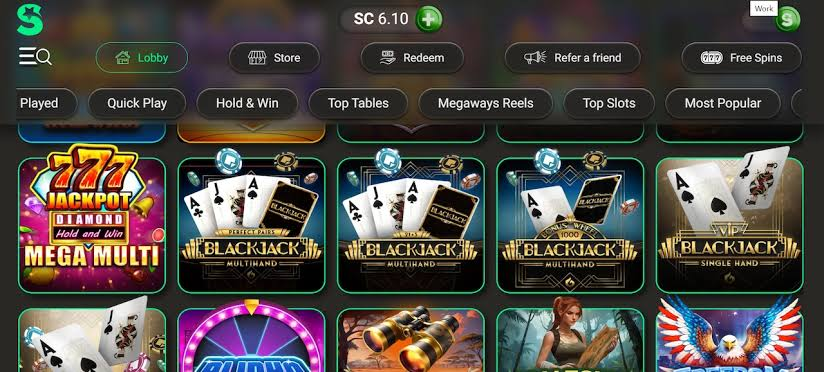
Lonestar Casino Guide: Login, Online Casino and Player Information
This site only collects related articles. Viewing the original, please copy and open the following link:How to Set Up GameVault: The Ultimate Guide to Your Personal Game Library